Totals
Know where the money went
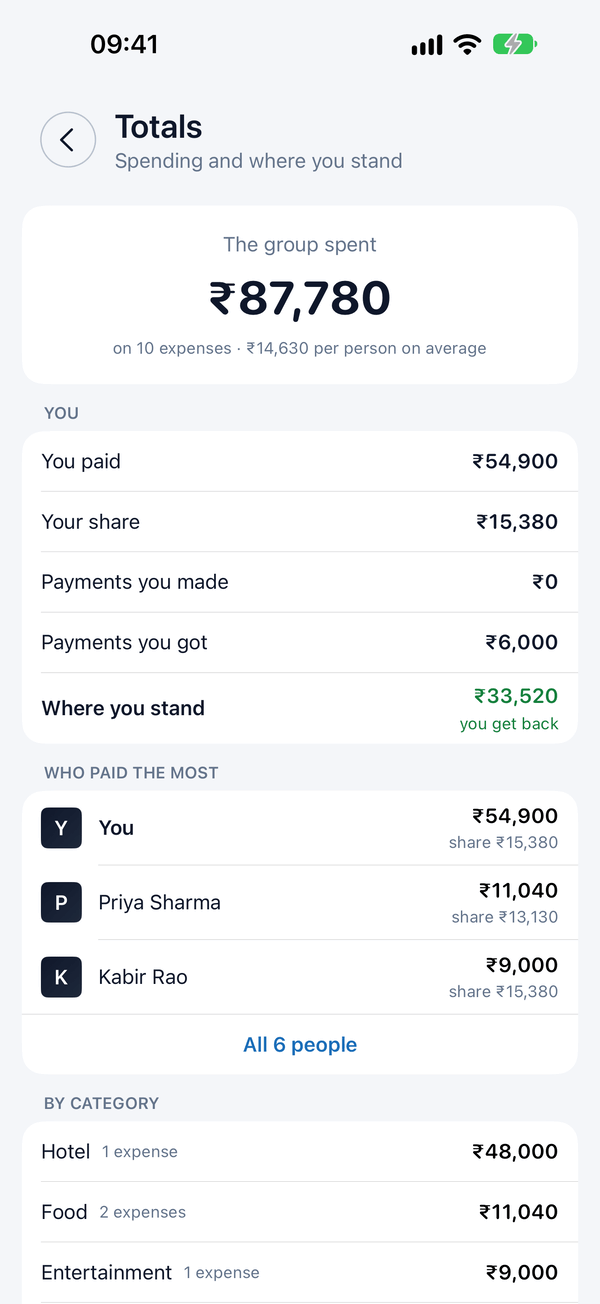
See what the group spent, your share, who paid the most and how it breaks down by category. The Goa trip came to ₹87,780, and the hotel took ₹48,000 of it.
For trips, flatmates and everything you share
Spluno keeps track of who paid what in every group and settles up in the fewest payments. Say an expense out loud and it’s added.


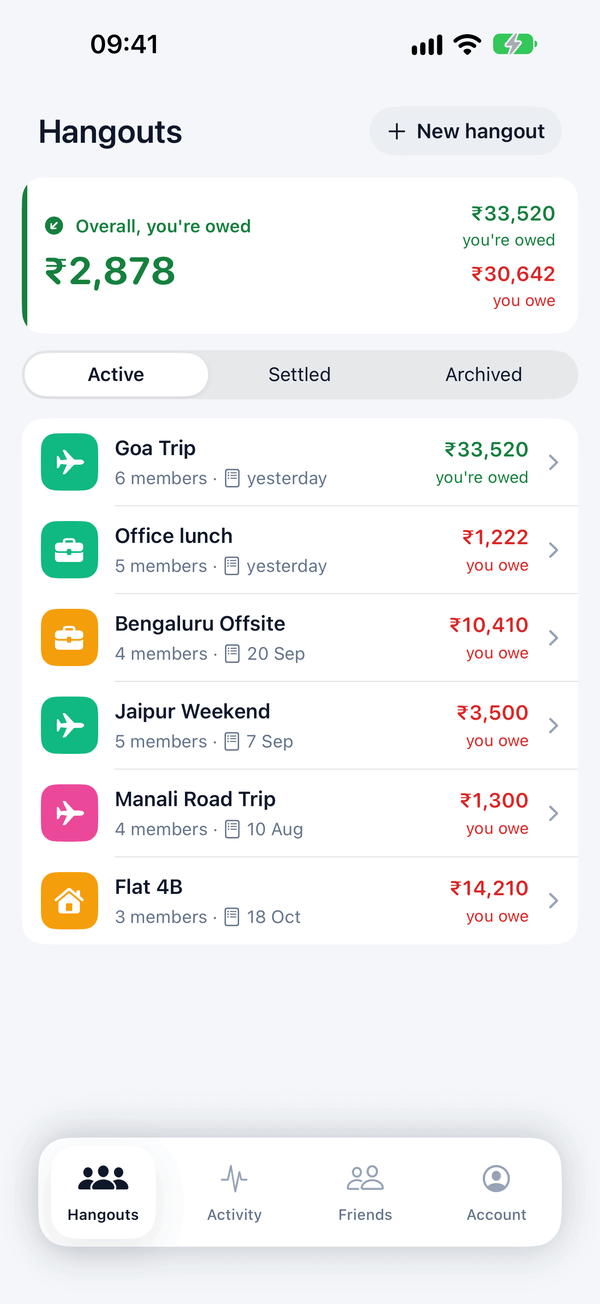
Rupees for Goa, euros for Lisbon. Each hangout keeps its own.
Add expenses with no signal. They sync once you're back online.
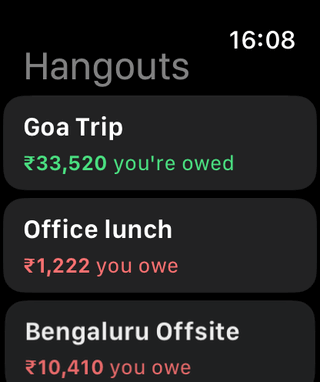
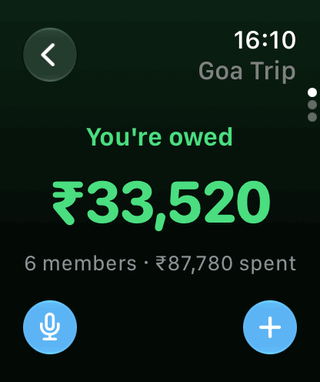
Check balances and add an expense from your wrist.
Attach a photo or PDF to any expense or payment.
Send one link and friends join the hangout from the web.
One feed of everything your groups add and change.
Light, dark, or the same as your iPhone.
How it works
Name it after the trip, the flat or the Friday lunch crew. Add friends by phone number, even if they haven’t installed Spluno yet.
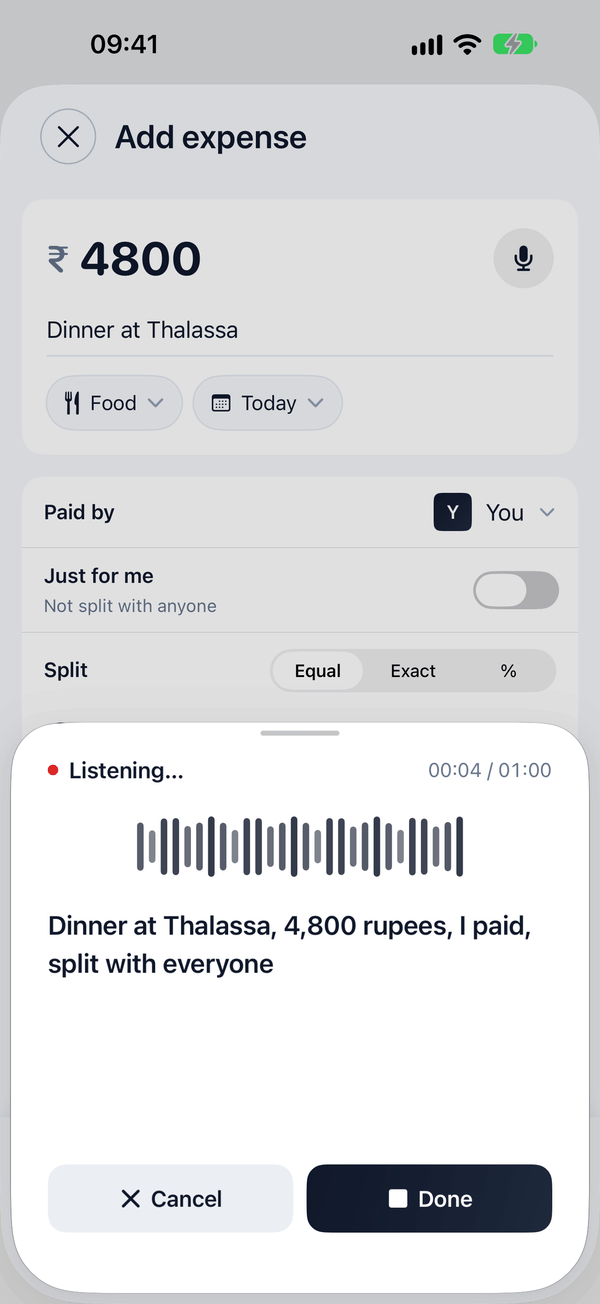
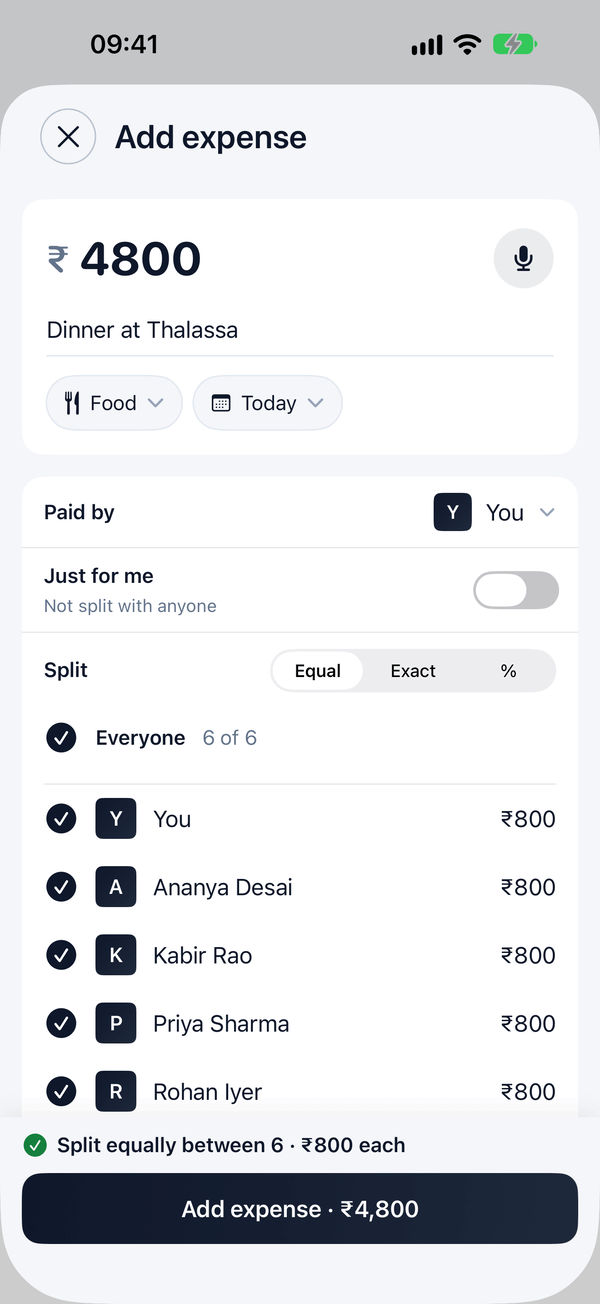
Type them in or tap the mic and say what happened. Split equally, by exact amounts or by percentages.
Spluno works out the fewest payments that clear every balance. When someone pays, record it in a tap.
Voice entry
Tap the mic and talk the way you’d tell a friend. Spluno fills in the amount, the description, the category, who paid and who it’s split with. You check it and save.
Dark mode
Light, dark, or whatever your iPhone is set to. System is the default, and you can change it any time under Account ▸ Appearance.
Expenses by day
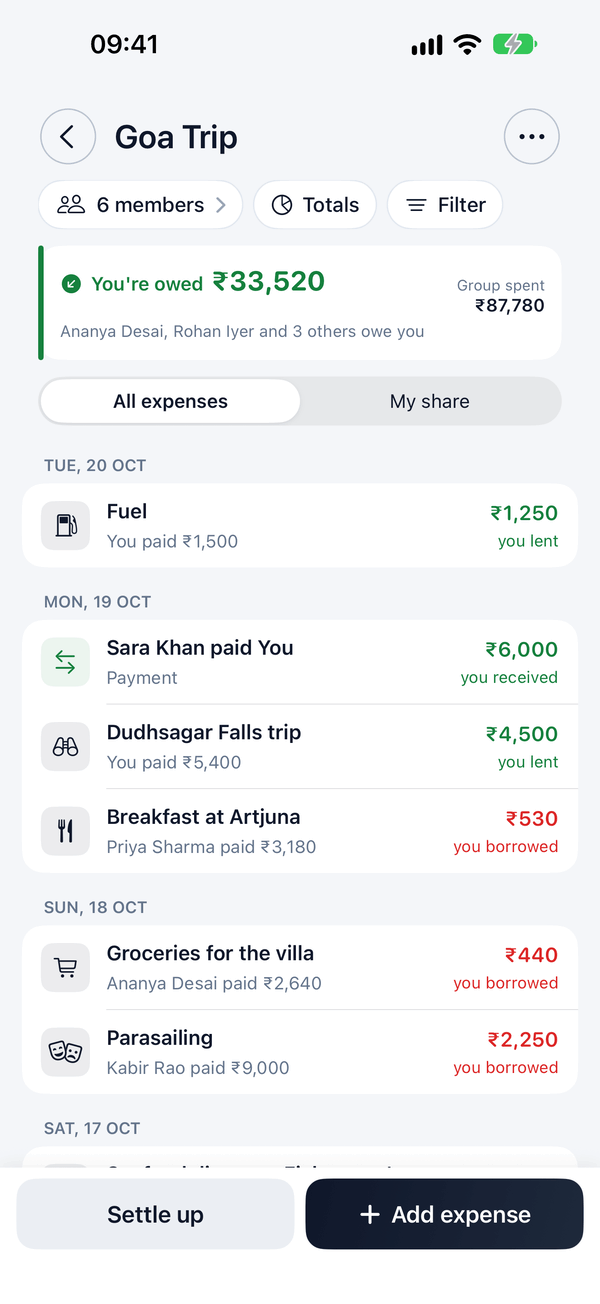
Every expense in a hangout sits under the day it happened, with who paid and what you owe or lent. Scroll back through the Goa trip and you’ll find Tuesday’s fuel, Sunday’s villa groceries and the parasailing Kabir paid for.
Split each one equally, by exact amounts or by percentages. Mark something “Just for me” when it’s yours alone.
Settle up
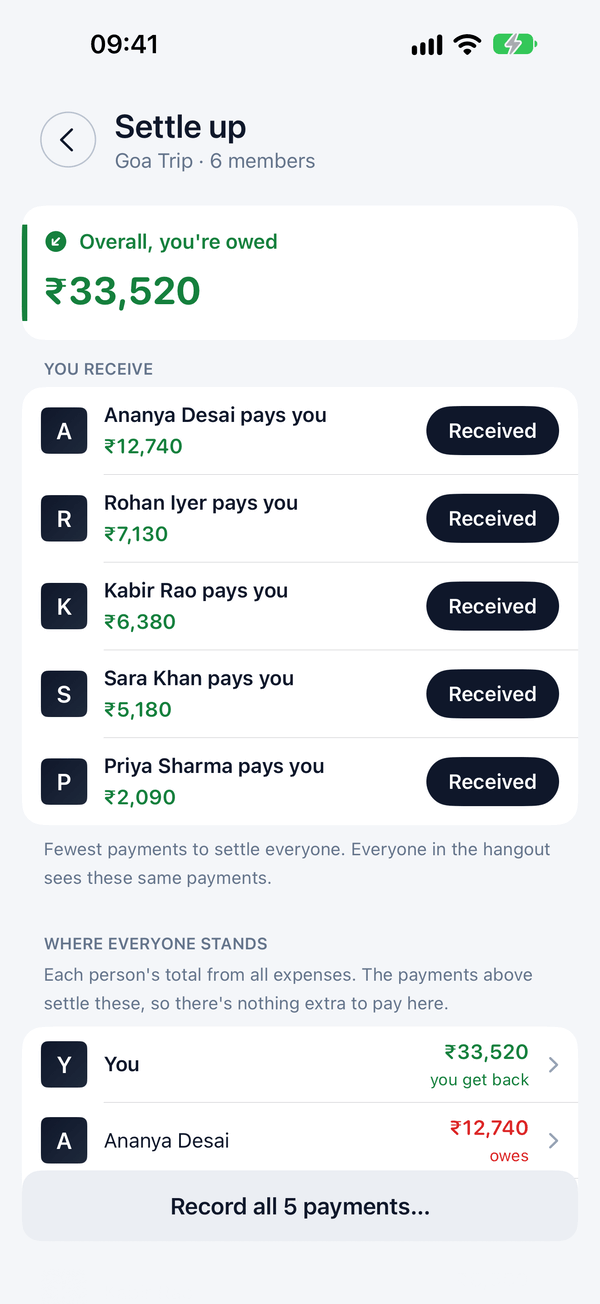
After a week away, six friends owe each other in every direction. Spluno untangles it into the shortest list of payments that settles everyone.
Everyone in the hangout sees the same list and the same numbers, so nobody has to redo the maths on a napkin. When money changes hands, record it with a tap.
Before: six friends owe each other in many directions. After: Spluno settles the Goa Trip in five payments, all to you.
Totals
See what the group spent, your share, who paid the most and how it breaks down by category. The Goa trip came to ₹87,780, and the hotel took ₹48,000 of it.
Friends
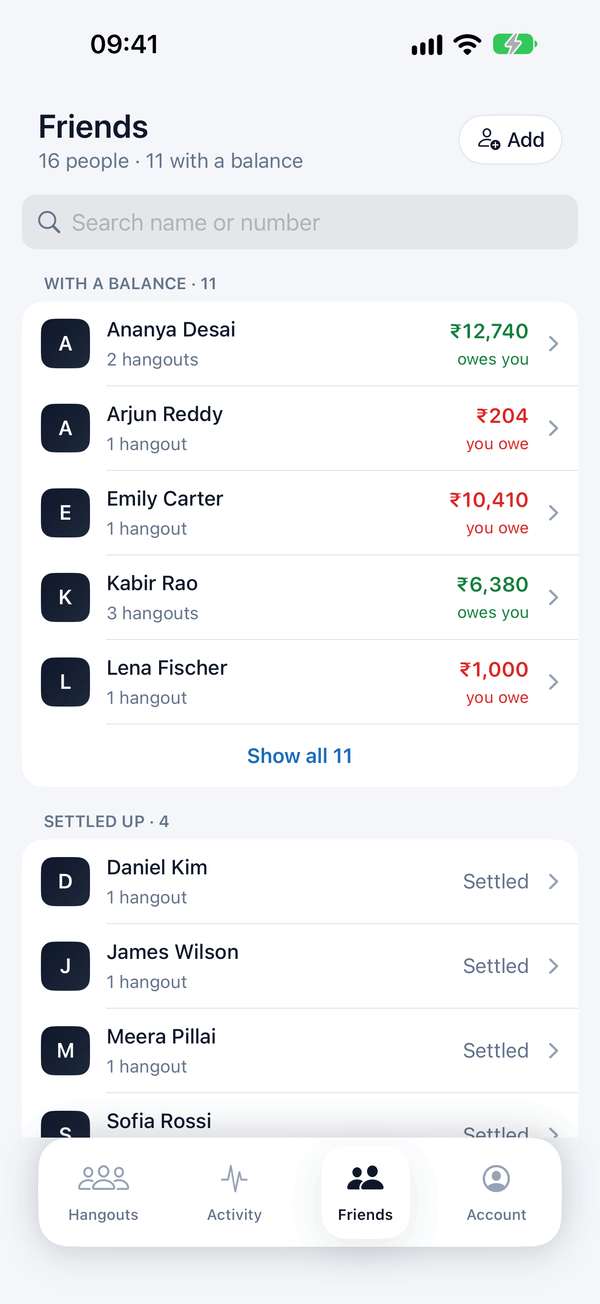
See where you stand with each person across every hangout you share. Ananya owes you ₹12,740 over two hangouts. You owe Arjun ₹204.
Everywhere you are
Spluno runs on iPhone, iPad, Apple Watch and Android, with Home Screen widgets too.
iPad
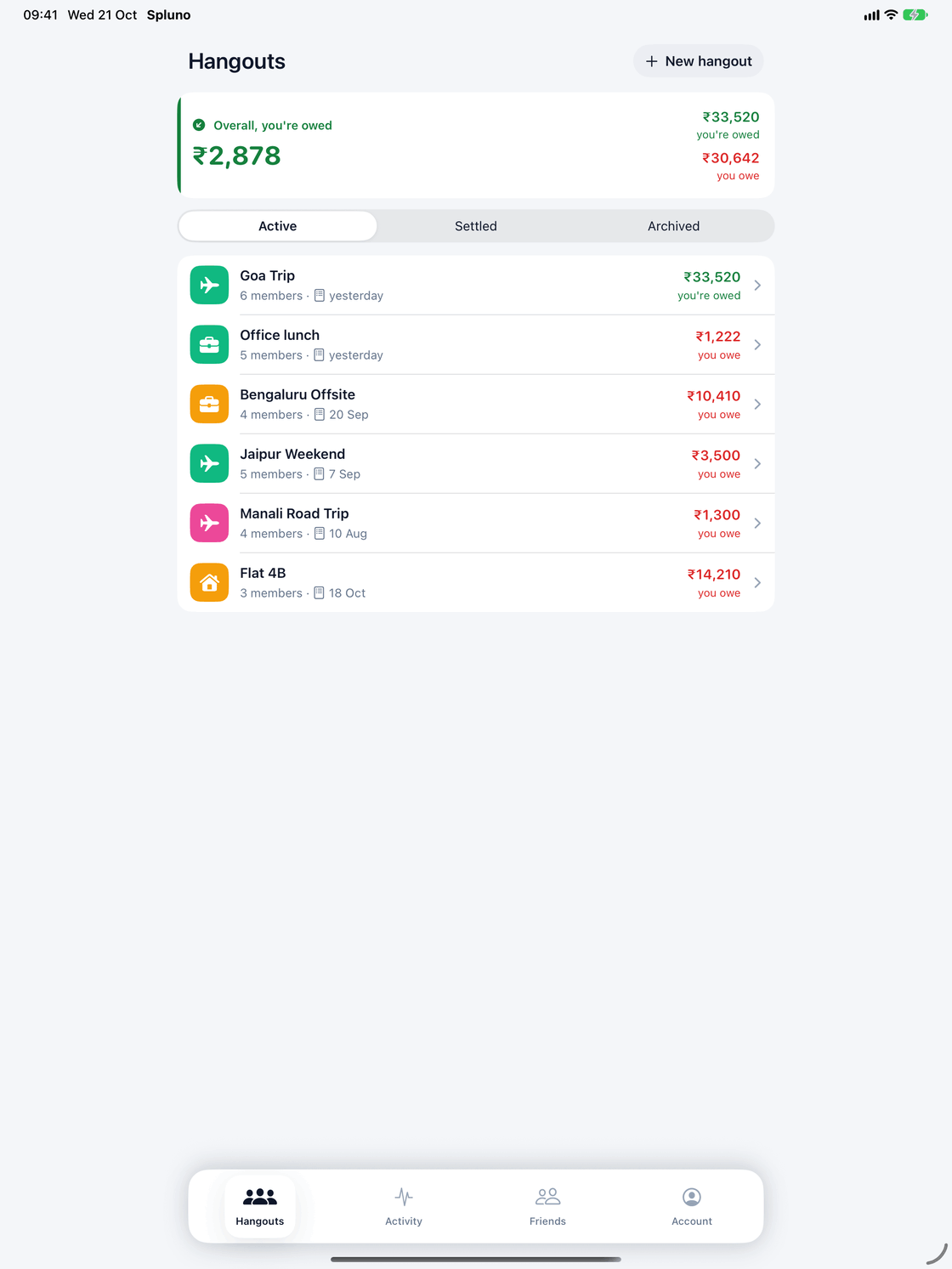
The same hangouts and balances, laid out on a bigger screen.
iPhone
Every feature lives here, plus Home Screen widgets.
Apple Watch
Check who owes what and add an expense without reaching for your phone.
Android
Friends on Android join the same hangouts and see the same balances.
FAQ
No. You can add anyone by phone number. They see their balances when they join, either in the app or through an invite link.
Yes. Each hangout has its own currency, so a Paris trip can run in euros while your flat stays in rupees. Spluno never mixes balances across currencies.
Yes. Add expenses on a mountain road or a flight. They sync when you're back online.
Spluno works out the fewest payments that settle everyone. When someone pays, record the payment and everyone's balance updates.
Yes. Choose Light, Dark or System under Account ▸ Appearance. System is the default and follows your iPhone’s setting.
Spluno is free to download on iPhone and Android.
Free on iPhone and Android.